Galaxy S26 Ultra replacement screen

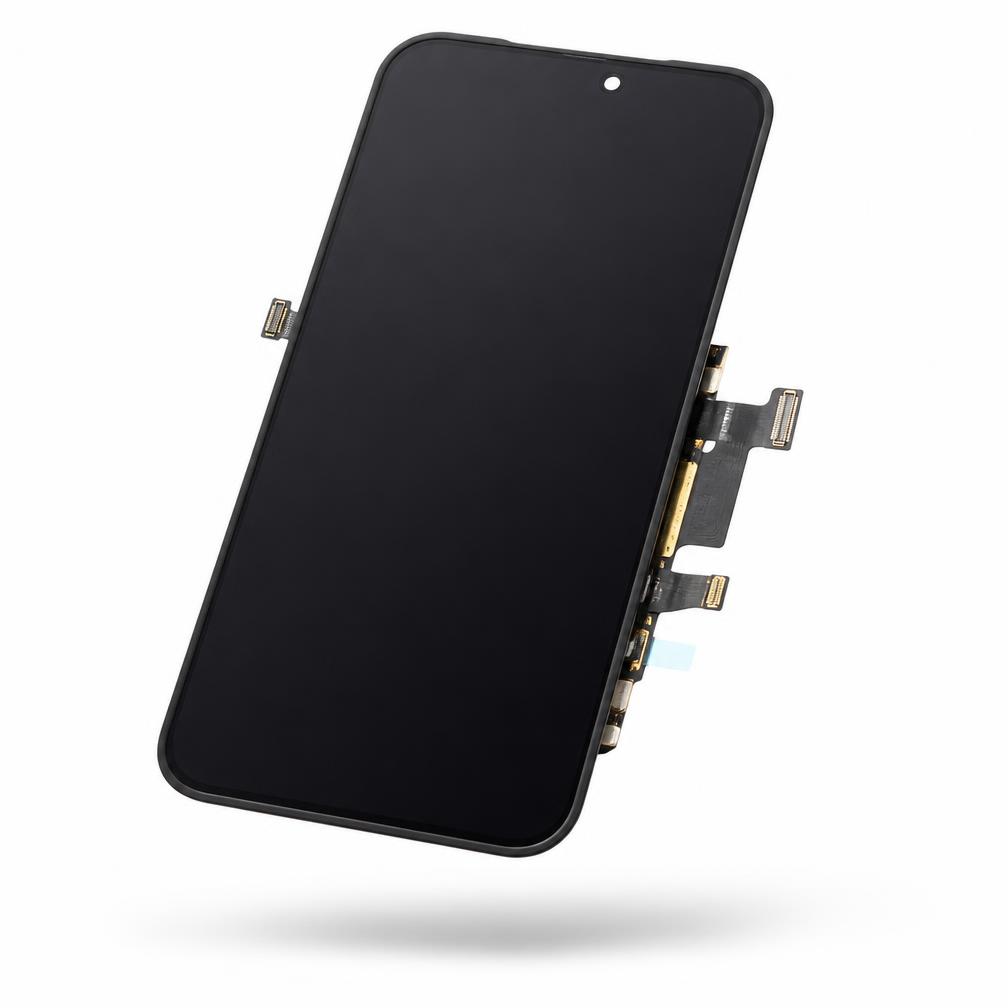
Galaxy S26 Ultra — Service Pack AMOLED

Service pack · Frame included

  • Genuine service pack with frame pre-fitted.
  • Fingerprint sensor calibrated and verified.
  • Sealed, serialised, and electrically tested.
  • Same-day available in selected postcodes.

Specs

Panel
Dynamic AMOLED 2X, QHD+
Frame
Pre-fitted with adhesive
Sensor
Ultrasonic FP included
Warranty
12 months

What's in the box

  • Screen + frame assembly
  • Perimeter adhesive
  • Anti-static sleeve
  • Install guide QR card

Compatibility

SM-S948BSM-S948USM-S948U1

Install guides

Scan the QR card in the box for the step-by-step teardown and torque map for Galaxy S26 Ultra.

Known faults & fixes

Every way a screen swap goes wrong — and how we stop it.

CriticalNot field-fixable — replace the panel

Green or pink tint across the panel

Why it happens · Low-grade incell/hard OLED with an uncalibrated driver IC, or a panel run outside its voltage spec.

The fix · Only fit soft-OLED panels with an original-spec driver IC. Every Fhone panel is bench-lit for 20 minutes and colour-checked against an OEM reference before it ships.

Common10–15 min

Ghost touch / phantom swipes

Why it happens · Touch IC noise, a pinched digitiser flex, or shield tape left off during reassembly.

The fix · Reseat the digitiser flex, confirm the EMI shield plate and its foam are refitted, and never route the flex over a screw boss. If it persists on a fresh panel, the touch IC is out of spec.

Common5 min with a programmer

True Tone / auto-brightness disappears

Why it happens · The ambient light sensor data lives on the original panel's flex, not the new one.

The fix · Transfer True Tone with a programmer (JC / QianLi) before discarding the donor panel. Our install QR links the exact transfer sequence per model.

CriticalPrevention only

Face ID stops working after a screen swap

Why it happens · Damaged flood illuminator flex or the dot-projector cable torn during removal of the earpiece bracket.

The fix · Heat to 60–70°C, lift from the correct edge, and move the sensor assembly as one unit. Face ID is paired to the phone — the original flex must survive the swap.

Watch20 min clamp

Lifting edges / adhesive failure within weeks

Why it happens · Old adhesive residue left in the frame, or the phone closed before the frame was fully cleaned and degreased.

The fix · Strip all old adhesive, wipe the lip with IPA 99%, apply the pre-cut adhesive supplied in the box, then clamp for 20 minutes.

WatchSame-day replacement

Dead pixels or a bright line on first boot

Why it happens · Transit shock to an unprotected panel, or a QC escape from an untested batch.

The fix · Panels ship in drop-safe, anti-static packaging and are electrically tested pre-dispatch. If one slips through, it's a no-quibble swap inside 12 months.
Install guide

Galaxy S26 Ultra screen swap, step by step.

  1. 01

    Discharge below 25%

    Cuts thermal risk if the cell is nicked while the panel is out.

  2. 02

    Heat the perimeter to 60–70°C

    Two minutes on a hot plate or 90 seconds with a heat gun on low. Never exceed 80°C near the OLED.

  3. 03

    Cut the adhesive, lift like a book

    Open from the correct hinge edge for the model so the display flex is never stretched.

    Lifting from the wrong edge tears the display flex — instant write-off.

  4. 04

    Disconnect the battery first

    Always battery, then display, then digitiser. Reverse on the way back in.

  5. 05

    Transfer sensors and brackets

    Earpiece mesh, proximity/flood assembly and the metal back plate all move to the new panel as one unit.

  6. 06

    Test before sealing

    Boot, check touch across all edges, brightness, True Tone, Face ID and the earpiece before adhesive goes on.

  7. 07

    Clean, adhere, clamp

    Strip old adhesive, IPA the lip, fit the pre-cut adhesive from the box and clamp for 20 minutes.

Questions techs actually ask.

Is this a soft or hard OLED?

Soft, flexible OLED with an original-spec touch IC — the same construction as the factory panel, so no colour shift or bezel gap.

Will True Tone survive the swap?

Yes, with a programmer. The data lives on the donor flex and transfers in under five minutes; the guide QR walks the exact sequence.

Does the box include adhesive?

Every screen ships with model-specific pre-cut perimeter adhesive, an anti-static sleeve and an install-guide QR card.

What voids the warranty?

Physical damage, liquid ingress and burnt flex connectors. Panel defects, dead pixels and touch faults are covered for 12 months, no quibble.